
01
Serial numbers slow you down
Hand-copying model, year, and serial information creates rework and transcription mistakes.
Extinguisher Scanner is a fire extinguisher scanner app built specifically for extinguisher technicians. Scan existing labels, document inspections offline, review automatic NFPA service recommendations, and create branded PDF reports from the field.


Available on iOS and Android
Scan the label
Use the information already on the unit.
Inspect in the field
Keep photos and service details together.
Export the report
Deliver a professional PDF without retyping.
The inspection problem
Paper notes and broad field-service tools can create work before, during, and after the inspection. Extinguisher Scanner keeps the workflow centered on the equipment in front of you.
01
Hand-copying model, year, and serial information creates rework and transcription mistakes.
02
Inspection photos get buried in the camera roll and disconnected from the extinguisher record.
03
Field notes still have to be organized into something a customer can actually use.
How it works
One focused workflow from equipment label to customer report, even in mechanical rooms, stairwells, basements, schools, hospitals, and other areas with poor cell coverage.
STEP 01
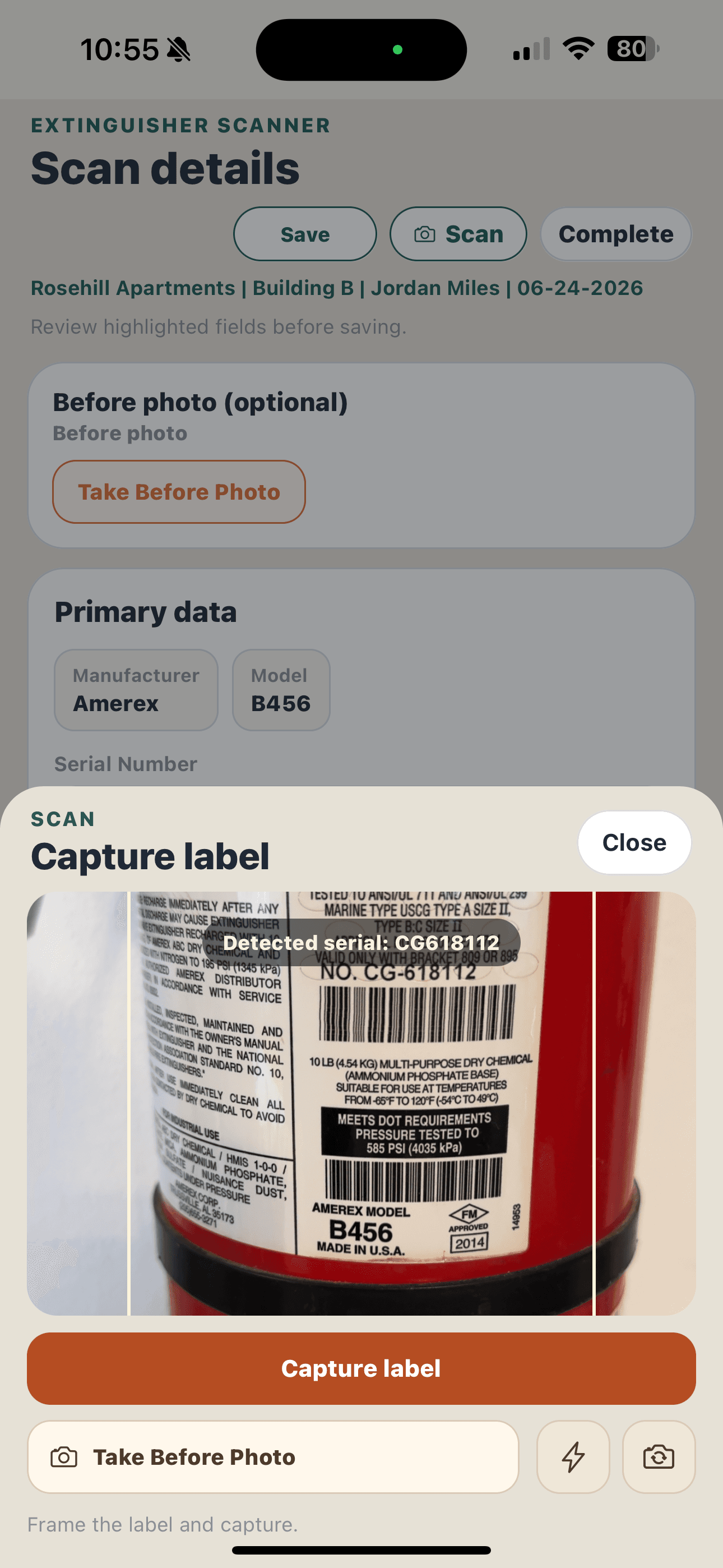
Point the camera at the existing extinguisher label and capture key equipment details with OCR. See how technicians can scan the manufacturer label instead of starting with a separate asset sticker.
STEP 02
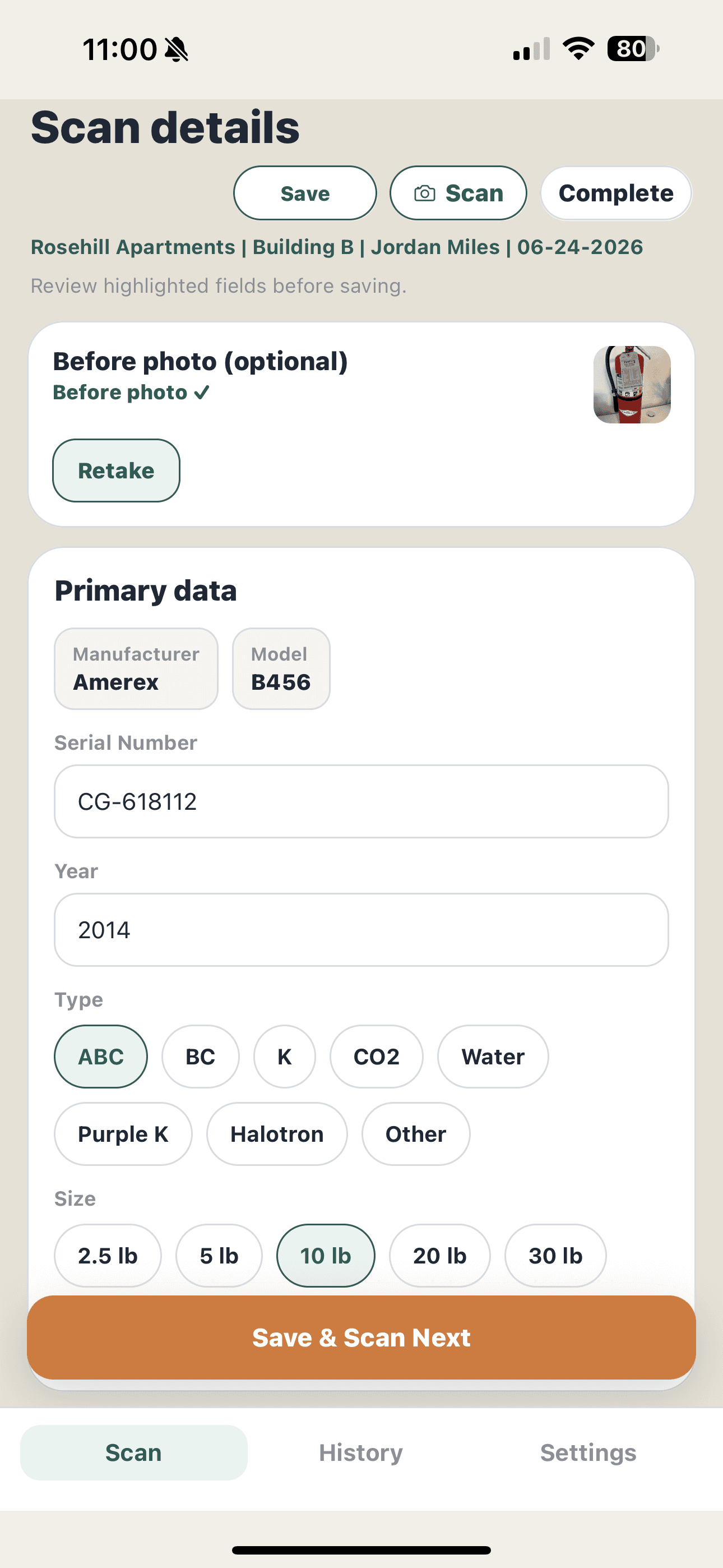
Use the focused fire extinguisher inspection app to confirm service, location, deficiencies, maintenance, notes, and photos in the field.
STEP 03
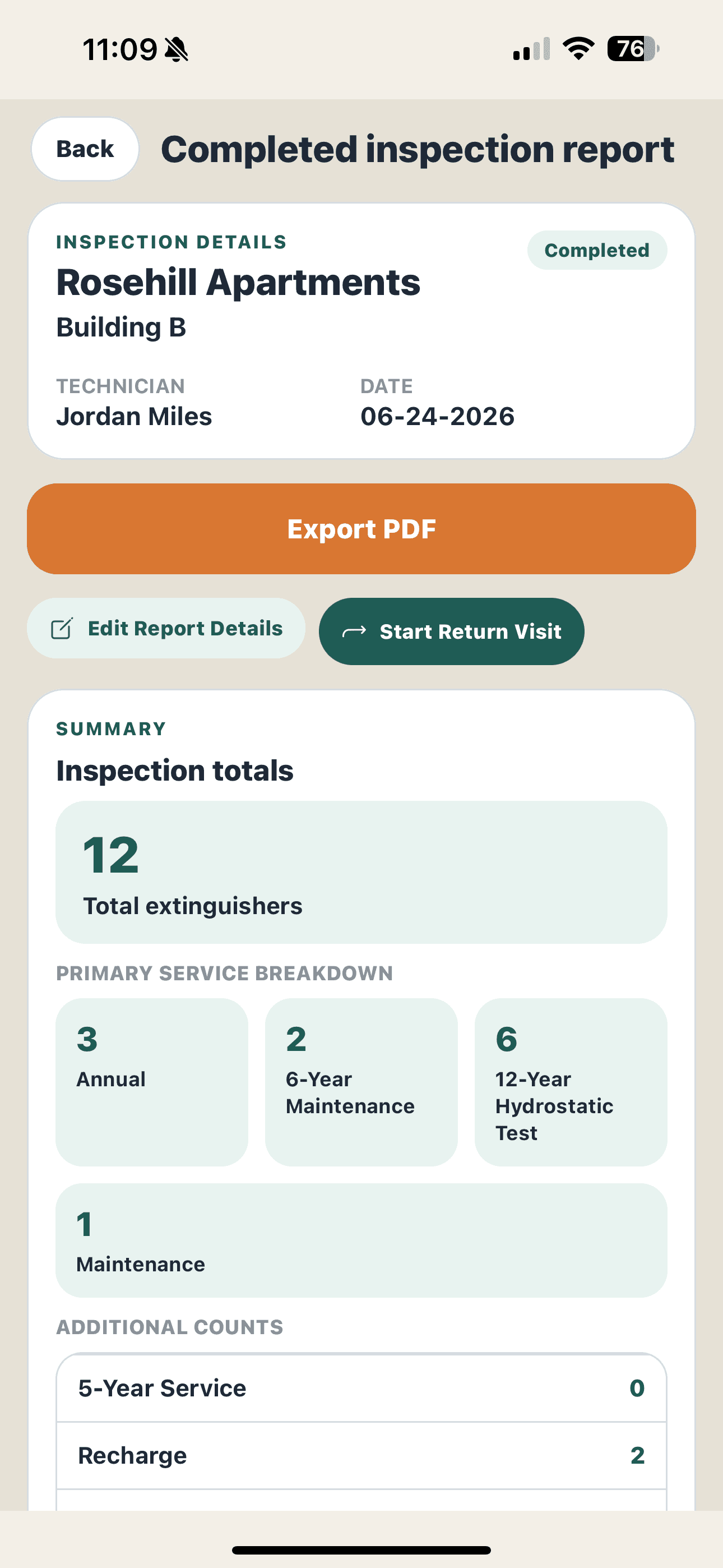
Complete the session and export a professional, customer-ready inspection report.
Purpose-built
The field tools technicians need, without turning the inspection app into a back-office ERP.
01
Capture manufacturer, model, serial number, year, type, and size from the existing label.
02
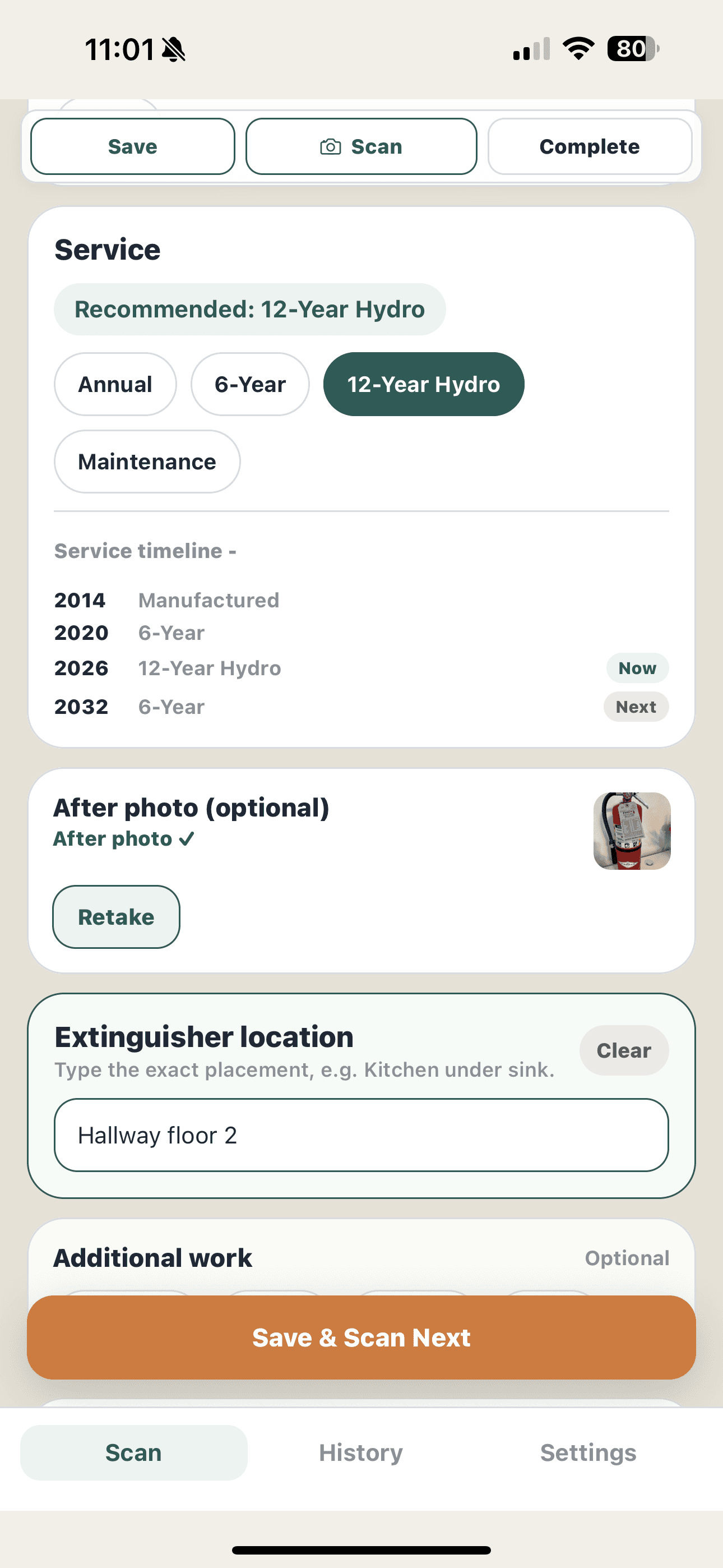
Helps recommend applicable NFPA maintenance and testing intervals based on extinguisher type, including CO₂, Halotron, water, water mist, Purple K, Class K, dry chemical, and more. Technicians review each recommendation against applicable requirements.
03
Record deficiencies, maintenance needs, notes, and before-and-after photos while you are on site.
04
Turn completed fieldwork into a clean, customer-ready inspection report without rebuilding it later.
05
Restore extinguisher locations and review prior service details on the next visit.
06
Continue inspecting even without cell service. Inspection records stay on your device throughout the workflow.
Service intelligence
The app helps recommend applicable NFPA service intervals based on extinguisher type. Technicians review each recommendation against applicable requirements while completing the route.
Built for this job
Extinguisher Scanner focuses on the inspection itself: capture label details, document service, and create a professional report. The current release intentionally leaves out ERP, dispatch, invoicing, shared cloud records, and cross-device sync.
| Capability | Extinguisher Scanner | Current product behavior |
|---|---|---|
| Purpose-built extinguisher workflow | Included | Focused on inspection and reporting |
| Equipment label capture | Included | Captured details remain editable before saving |
| NFPA service recommendations | Included | Decision support with technician review required |
| Offline inspection workflow | Built in | Records stay on this device |
| Sticker or barcode rollout | Not required | Uses existing manufacturer labels |
| Branded PDF reports | Included | Before-and-after photos supported |
| Inspection history | On device | No shared cloud CRM |
| Return visit workflow | Included | Uses history saved on this device |
| Automatic cross-device sync | Not included | Records remain local to the device |
| ERP, dispatch, and invoicing | Not included | Focused inspection app |
FAQ
Extinguisher Scanner focuses on the inspection itself: capture label details, document service and deficiencies, keep history on the device, and produce a branded PDF. The current release does not include ERP, dispatch, invoicing, a shared cloud CRM, or automatic cross-device sync.
No. Extinguisher Scanner uses OCR to read information already printed on the extinguisher label. You can begin with the equipment your customers already have in place.
Extinguisher Scanner is available for iPhone and Android and is designed specifically for mobile field inspections. The app also works well on iPad, although the experience is optimized for phones while technicians are moving through buildings and inspecting extinguishers.
Yes. Extinguisher Scanner is designed to work offline so technicians can continue inspecting even when cell service is unreliable. Your inspection data is stored locally and available throughout the inspection process.
Pro is an auto-renewing subscription priced at $59.99 per month. A 14-day free trial is available for eligible subscribers. Eligibility is based on the applicable Apple App Store or Google Play account, not on creating a new Extinguisher Scanner account. Sign-in is required before purchasing or restoring. The store displays the authoritative price, eligibility, and offer terms before purchase. Company Edition is planned for teams that need shared records and multiple technicians, but it is not available for purchase and has no announced release date.
Not in the current release. Inspection records and history are stored locally for one technician using one device. Shared company data and multiple technician accounts are planned for Company Edition, with no announced release date.
Ready when you are
Get Extinguisher Scanner and start inspecting from the field.
Available on iOS and Android